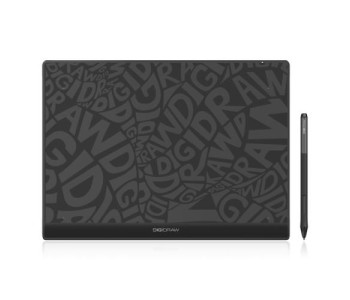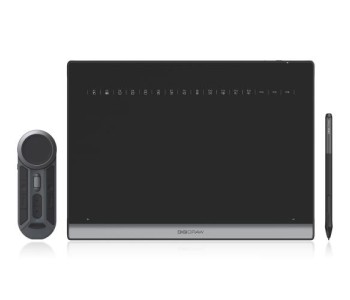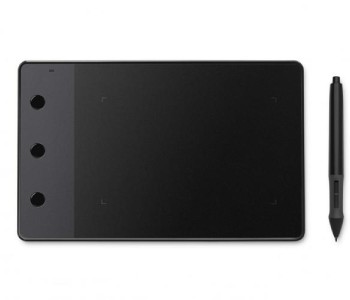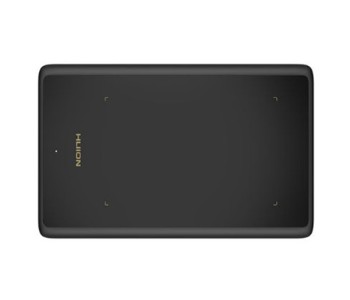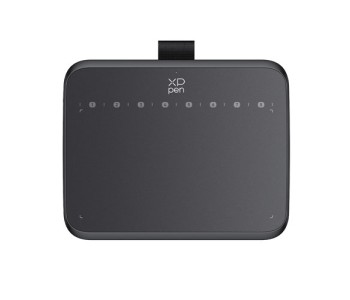

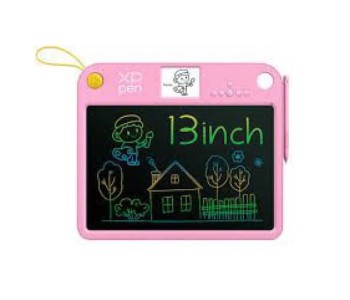
Graphics Tablet
- Display Size : 57 x 43 mm
- Work Area : 282 x 188 mm
- Battery Capacity : 500 mAh
- Battery Life : 3 Hours
- Active Area : 6.3″ X 3.9″
- Pen Pressure : 16384
- Express Keys: None
- Compatibility: Win, MAC, Android
- Active Area: 10 x 6
- Resolution: 1920x1080
- Pressure Levels: 8192
- Compatibility: Win, MAC, Android
- Active Area: 7.35″ x 5.5″
- Pen Pressure: 8192
- Keys: Function Button
- Compatibility: Win, MAC, Android
- Active Area : 6″ x 3.7″
- Pen Pressure : 4096
- Express Keys: None
- Compatibility: Win, MAC, Android
- Active Area: 11″ x 6.875″
- Pen Pressure: 8192
- Express Keys: 8
- Compatibility: Win, MAC
- Active Area : 6.3″ X 3.9″
- Pen Pressure : 16384
- Connectivity: Bluetooth 5.0
- Compatibility: Win, MAC, Android
- Active Area : 10″ X 6.25″
- Pen Pressure : 16384
- Connectivity: Bluetooth 5.0
- Compatibility: Win, MAC, Android
- Active Area : 15″ X 9″
- Pen Pressure : 16384
- Express Keys: None
- Compatibility: Win, MAC, Android
- Active Area : 13.6" x 7.6"
- Pen Pressure : 8192
- Express Keys : None
- Resolution : 1920 x 1080 (16:9)FHD
- Active Area: 4″ × 2.23″
- Pen Pressure: 2048
- Express Keys: None
- Compatibility: Win, MAC
- Active Area: 4″ × 2.23″
- Pen Pressure: 2048
- Express Keys: 3
- Compatibility: Win, MAC
- Active Area : 4″ x 3″
- Pen Pressure : 8192
- Express Keys: None
- Compatibility: Win, MAC
- Active Area : 4.8" x 3"
- Pen Pressure : 8192
- Express Keys: None
- Compatibility: Win, MAC, Android
- Active Area : 4.8″ x 3″
- Pen Pressure: 4096
- Express Keys : 4
- Compatibility: Win, MAC, Android
- Color: Black, Blue
- Active Area: 4 ″ × 3 ″
- Pen Pressure: 8192
- Compatibility: Win, MAC, Android
- Active Area: 4″ × 3″
- Pen Pressure: 8192
- Express Keys: 4
- Compatibility: Win, MAC, Android
- Active Area : 4.17″ x 2.6″
- Pen Pressure : 8192
- Express Keys: None
- Compatibility: Win, MAC, Android
- Active Area : 6″ x 4″
- Pen Pressure : 8192
- Express Keys : 4
- Compatibility: Win, MAC
- Active Area : 4.7″ x 3″
- Pen Pressure : 8192
- Express Keys: 4
- Compatibility: Win, MAC, Android
Graphics Tablet — Buy Genuine Wacom, Huion, XP-Pen & More Graphics Tablet from Multimedia Kingdom
If you've been searching for a graphics tablet in Bangladesh, you've probably noticed the prices vary wildly — from a couple thousand taka to well over three lakh. That's not random; it comes down to brand, screen type, pen technology, and build quality, and picking the right one depends entirely on what you plan to create.
In short: graphics tablet prices in Bangladesh currently range from ৳2,999 to ৳4,39,999 at Multimedia Kingdom, depending on brand, active area size, pen pressure sensitivity, and whether it's a display or non-display tablet. All tablets sold are 100% genuine — from Wacom, Huion, XP-Pen, Veikk, Ugee, Parblo, Xencelabs, Bosto, Acepen, and 10moons — backed by official warranty and after-sales support.
What Is a Graphics Tablet and Why Do You Need One?
A graphics tablet is an input device that lets digital artists, illustrators, designers, and animators draw directly onto a computer using a pressure-sensitive stylus pen instead of a mouse. It replicates the natural feel of pen-on-paper drawing while giving you full digital control — undo, layers, brush size, and precision that a mouse simply cannot match.
Graphics tablets are used across a wide range of creative fields, including:
- Digital illustration and concept art
- Photo retouching and editing (Photoshop, Lightroom)
- 2D/3D animation
- Graphic design and branding
- Architectural sketching and CAD work
- Online teaching, whiteboard tutoring, and content creation
- Handwriting notes and annotation on PC
Whether you're a student exploring digital art or a professional designer handling client work, a good graphics tablet directly improves both speed and accuracy in your workflow.
Graphics Tablet Price — What Affects the Cost?
Not all graphics tablets are priced the same, and understanding why prices vary helps you avoid overpaying or underbuying. Here are the main factors that determine graphics tablet price in BD:
| Factor | Impact on Price |
|---|---|
| Display vs Non-Display | Pen display tablets (draw directly on screen) cost significantly more than non-display drawing tablets |
| Active Drawing Area | Larger working surfaces (10" and above) are priced higher than compact 6"–8" tablets |
| Pen Pressure Sensitivity | Tablets with 8,192+ pressure levels offer finer control and sit at a higher price point |
| Brand | Wacom sits at the premium end; Huion, XP-Pen, and Veikk offer strong performance at budget-friendly prices |
| Connectivity | Bluetooth/wireless models are typically priced above USB-only versions |
| Battery-Free Pen Technology (EMR) | Tablets with EMR pens (no charging needed) tend to cost more due to advanced pen tech |
At Multimedia Kingdom, entry-level tablets start from ৳2,999, making digital art accessible for beginners, while professional-grade pen displays go up to ৳4,39,999for studio-level production work.
Best Graphics Tablet Brands Available in Bangladesh
Bangladesh's digital art community has grown fast, and demand for reliable drawing tablets has grown with it. Multimedia Kingdom — recognized as the first company to introduce graphics tablets and eReaders in Bangladesh — brings together every major global brand under one roof.
Wacom
The industry standard for professional artists and studios. Known for unmatched pen precision, build durability, and software compatibility with Photoshop, Clip Studio Paint, and Illustrator.
Huion
A favorite among students and beginner-to-intermediate artists for delivering high performance at an affordable graphics tablet price in Bangladesh.
XP-Pen
Popular for its pen display tablets, offering a sleek design and screen-drawing experience closer to Wacom Cintiq at a more accessible price.
Veikk
Lightweight, budget-friendly tablets with impressive pen sensitivity — a solid entry point for hobbyists.
Ugee
Reliable mid-range tablets suitable for both learners and working professionals.
Parblo, Bosto, Acepen, Mooiuu,Xencelabs & More
These brands round out the lineup with diverse specifications, sizes, and price points to match different artistic needs and budgets.
How to Choose the Right Graphics Tablet (Buyer's Guide)
1. Define Your Purpose First
- Beginners / hobbyists → basic non-display drawing tablet
- Professional illustrators/designers → pen display tablet
- Photo editors → mid-size non-display tablet with high pressure sensitivity
- Animators → larger active area with tilt-recognition support
2. Check Pen Pressure & Sensitivity
Look for 8,192 levels of pressure sensitivity or higher for smooth shading, natural line-weight variation, and accurate stroke control.
3. Display vs Non-Display Tablets
- Non-display tablets (e.g., Huion Inspiroy, Wacom Intuos) — affordable, great for learning hand-eye coordination for digital drawing
- Display tablets (e.g., XP-Pen Artist series, Wacom Cintiq) — draw directly on-screen, ideal for professional production work
4. Size & Comfort
Compact tablets (6"–8") are portable and desk-friendly; larger tablets (10"+) offer more room for broad strokes and better ergonomics during long sessions.
5. Connectivity & Software Compatibility
Confirm compatibility with your operating system (Windows/Mac/Android) and your primary software (Photoshop, Illustrator, Clip Studio Paint, Procreate for compatible devices).
6. Buy From an Authorized Reseller
Always purchase from a trusted, authorized retailer to guarantee authenticity, official warranty, and genuine accessories — counterfeit tablets often fail within months and void any support claims.
Popular Graphics Tablet Models Available in Bangladesh
To help you narrow down your choice, here's a snapshot of the type of models commonly searched for and available at Multimedia Kingdom across different budgets and skill levels. (Replace with your live product names, exact prices, and product links before publishing.)
| Model Category | Example Series | Best For | Typical Price Range |
|---|---|---|---|
| Entry-Level Non-Display | Huion Inspiroy series | Beginners, students, hobbyists | ৳2,999 – ৳8,000 |
| Mid-Range Non-Display | Wacom Intuos, XP-Pen Deco series | Freelance designers, photo editors | ৳8,000 – ৳25,000 |
| Budget Pen Display | XP-Pen Artist series | Illustrators moving from paper to screen | ৳25,000 – ৳60,000 |
| Professional Pen Display | Wacom Cintiq, XP-Pen Artist Pro | Studio artists, animation professionals | ৳60,000 – ৳150,000 |
| Premium/Studio-Grade | Wacom Cintiq Pro, Xencelabs Pen Display | High-end production studios, 3D/CAD work | ৳150,000 – ৳4,39,999 |
If you're unsure which model fits your workflow and software (Photoshop, Clip Studio Paint, Krita, or CAD tools), Multimedia Kingdom's team can guide you to the right pick based on your budget and creative goals.
Graphics Tablet Software Compatibility
A graphics tablet is only as useful as the software it works with. Before buying, confirm your tablet supports:
- Adobe Photoshop & Illustrator — industry-standard for design and photo editing
- Clip Studio Paint — widely used for manga, comics, and line-art illustration
- Krita — free, open-source painting software popular among beginners
- Autodesk SketchBook — lightweight sketching and concept art tool
- AutoCAD / CAD software — for architects and engineers using tablets for precision drafting
- Zoom, Google Meet, and whiteboard tools — increasingly used by online tutors and teachers for live annotation
Most modern tablets from Wacom, Huion, and XP-Pen support Windows, macOS, and select Android devices, but always check individual product specifications, since driver support can vary by model.
Essential Graphics Tablet Accessories
Beyond the tablet itself, a few accessories can significantly improve comfort and longevity:
- Replacement pen nibs — standard nibs wear down with regular use and should be replaced periodically
- Anti-fouling / textured drawing sleeves — for pen display tablets, protecting the screen from scratches while maintaining a paper-like drawing feel
- Stylus pen cases — to protect your pen from drops and dust when not in use
- Tablet stands — improve ergonomics, especially for larger pen displays used during long working sessions
- Screen protectors — reduce glare and glass wear on display tablets
Multimedia Kingdom stocks genuine accessories and replacement parts for the major brands it carries, so you're never stuck sourcing third-party parts of questionable quality.
Graphics Tablet Care & Maintenance Tips
To get the longest life and best performance from your investment:
- Clean the surface regularly with a soft, dry microfiber cloth — avoid alcohol-based cleaners on display tablets.
- Store the pen properly in its holder or case when not in use to prevent tip damage.
- Update drivers periodically from the manufacturer's official website to maintain compatibility with the latest OS and software updates.
- Avoid extreme heat or direct sunlight, especially for pen displays, as prolonged exposure can affect screen calibration.
- Replace worn nibs promptly — a worn nib can scratch glass-screen tablets and reduce drawing accuracy.
Why Buy Your Graphics Tablet from Multimedia Kingdom?
Multimedia Kingdom has served Bangladesh's creative and tech community for 26 years, and remains one of the most trusted names for digital art hardware in the country.
- First to introduce graphics tablets and eReaders in Bangladesh
- 100% authentic products from Wacom, Huion, XP-Pen, Veikk, Ugee, Parblo, Bosto, Acepen, Mooiuu, 10moons, and Xencelabs
- Competitive graphics tablet price in BD compared to other retailers
- Official warranty and dedicated after-sales support
- Expert guidance to match the right tablet to your skill level and software needs
- Fast, secure delivery across Bangladesh with flexible payment options
- Wide catalog including e-readers, e-link devices, tablets, and audio accessories
Frequently Asked Questions
What is the graphics tablet price in Bangladesh?
Graphics tablet prices in Bangladesh range from ৳2,099 to ৳399,999 at Multimedia Kingdom, depending on brand, size, and whether it includes a display screen.
Which graphics tablet brand is best for beginners in Bangladesh?
Huion and Veikk are popular choices for beginners due to their affordable pricing and reliable pen sensitivity, making them ideal first tablets for learning digital art.
What is the difference between a display and non-display graphics tablet?
A non-display tablet requires you to look at a separate monitor while drawing on the tablet surface, while a display tablet lets you draw directly on a built-in screen — similar to drawing on paper, but digital.
Is Wacom worth the higher price compared to Huion or XP-Pen?
Wacom is generally considered the industry standard for professional studios due to its pen precision and software integration, but Huion and XP-Pen offer excellent performance for most users at a fraction of the cost.
Where can I buy a genuine graphics tablet in Bangladesh with warranty?
Multimedia Kingdom is an authorized reseller of Wacom, Huion, XP-Pen, and other major brands, offering 100% authentic products with official warranty and after-sales support across Bangladesh.
How many pressure levels should a good graphics tablet have?
For smooth, professional-quality digital art, look for a tablet with at least 8,192 levels of pressure sensitivity.
Ready to Start Your Digital Art Journey?
Explore the full range of graphics tablets at Multimedia Kingdom — Bangladesh's most trusted destination for genuine Wacom, Huion, XP-Pen, Veikk, Ugee, Parblo, and Xencelabs tablets. With 26 years of experience, official warranty, and expert guidance, we help you find the perfect tablet for your creative goals and budget.
Browse graphics tablets now and enjoy fast delivery anywhere in Bangladesh.