
Acepen


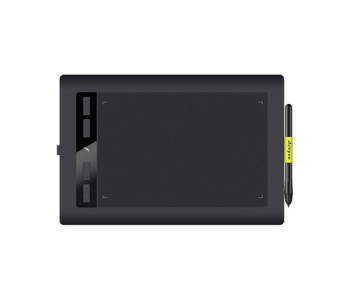

Get Acepen all Items from Multimedia Kingdom with Special Price Always
Drawing on a screen or pad should feel as natural as drawing on paper. That idea sits behind every Acepen product, and it is the reason creators across Bangladesh keep asking for the brand. At Multimedia Kingdom, you can explore the full Acepen collection in one place: compact pen tablets for beginners, mid-size tablets for daily design work, a large pen display for professional studios, and useful accessories that make long drawing sessions more comfortable.
This page is a practical guide to the Acepen range. It explains what each type of device does, who it suits, and how to choose the right one before you order.
What Is Acepen and Who Is It Built For?
Acepen is a digital drawing brand that focuses on pen input devices for creative and productive work. Its products let you replace a mouse with a pressure-aware pen, so every stroke, line and edit becomes more controlled and more expressive.
Acepen devices are a good fit for many kinds of users:
- Digital artists and illustrators who sketch, ink and colour directly in drawing software.
- Graphic designers who need accurate selections, curves and vector paths.
- Photo editors who retouch skin, mask hair and paint light with fine control.
- Students and teachers who write, annotate slides and run online classes with handwriting.
- Animators and storyboard artists who draw frame by frame.
- Office and remote professionals who sign, mark up documents or explain ideas visually during meetings.
Because the range covers both pen tablets and a pen display, one brand can serve a first-time learner and a full-time professional.
Acepen Product Range at a Glance
Compact Pen Tablets for Everyday Creativity
Small tablets save desk space, travel easily and cost less, which makes them a smart starting point. The Acepen AP604b and the Acepen AP604 both use a 6x4 inch active area. That size is ideal for learning pen control, signing documents, taking handwritten notes, and basic photo editing. If you work on a laptop in a small room or move between home and campus, a 6x4 inch tablet is easy to carry and quick to set up.
Mid-Size Pen Tablets for Larger Strokes
When your hand needs more room, a bigger surface helps. The Acepen AP906 offers a 9x6 inch working area, and the Acepen AP1060 offers a 10x6 inch area. These sizes suit illustration, lettering, concept art and design layouts, because your wrist and elbow can move freely instead of cramping in a tiny space. Models in the range also differ in the number of press keys, from simple layouts to the 6 to 10 key range, so you can map shortcuts such as undo, brush size and zoom to the tablet itself.
Large Pen Display for Professional Studios
If you prefer to draw directly under the pen tip, the Acepen AP2151 Pro is the flagship choice. Its 21.5 inch screen gives you a wide canvas for detailed illustration, colour work, animation and retouching. It is built for creators who spend many hours a day on visual work and want a direct, paper-like workflow.
Accessories That Improve Comfort
A small accessory can change how a long session feels. The Acepen Artist Hand Glove reduces friction between your palm and the drawing surface, helps prevent smudges and accidental marks, and keeps your hand gliding smoothly. It is one of the simplest upgrades for any pen tablet or pen display user.
Pen Tablet vs Pen Display: Which One Should You Choose?
A pen tablet is a flat pad without a screen. You move the pen on the pad while you watch the result on your computer monitor. It is more affordable, lighter and easier to learn for most people after a short practice period.
A pen display has a built-in screen. You draw right on the image, which feels more direct and intuitive, especially for detailed art. It costs more and needs more desk space.
A simple rule works well: choose a pen tablet if you are starting out, working on a budget or travelling often. Choose a pen display if drawing is your main profession and you want the most natural experience.
How to Pick the Right Acepen Device
Before you decide, check these points:
- Active area size: Small (6x4 inch) for portability, medium (9x6 or 10x6 inch) for comfortable drawing, large (21.5 inch display) for studio work.
- Press keys: More keys mean fewer trips to the keyboard. Artists who use many shortcuts benefit from a model with more keys.
- Android support: Several Acepen tablets work with Android devices, which is useful if you want to sketch or write on a phone or tablet.
- Desk space: Measure your workspace first, especially if you are considering the large display.
- Software: Make sure your preferred drawing, photo or design software supports pen input on your operating system.
- Budget and availability: Compare prices on each product page and check whether the item is available for pre-order or ready stock.
Each product page lists detailed specifications, so compare them carefully before you buy.
Pre Order and Ready Stock: How Availability Works
Most Acepen tablets and displays are offered through pre-order. This helps you secure the model you want even when it is not on the shelf today. Items that are already in the country can be found on the ready stock page, where delivery is faster. Availability can change, so always confirm the status shown on the product page.
Build a Complete Creative Setup
A drawing device works best as part of a larger workflow. Once you choose your Acepen model, you can explore related categories at Multimedia Kingdom:
- Browse the wider graphics tablet collection if you want to compare sizes and features across the whole category.
- Add pens, nibs and extras from the Acepen accessories section to keep your device ready for daily use.
- Try a smart notepad if you like writing on paper but want your notes saved digitally.
- Use a light pad for tracing, sketching and animation cleanup.
- Read for longer and rest your eyes with an eReader, a great companion for students and creators who study between projects.
Frequently Asked Questions About Acepen
Which Acepen model is best for beginners?
The 6x4 inch Acepen AP604 and AP604b are the easiest starting points. They are compact, affordable and large enough to learn pressure control, handwriting and basic editing.
Is an Acepen tablet good for online classes and note-taking?
Yes. A pen tablet lets teachers and students write, highlight and annotate on screen, which makes online lessons clearer than using a mouse.
Can I use an Acepen tablet with an Android device?
Several Acepen tablets support Android. Check the product page of the specific model to confirm compatibility with your device before ordering.
What size should a professional illustrator choose?
Illustrators who prefer a tablet usually enjoy the 9x6 or 10x6 inch models. Those who want to draw directly on a screen should consider the 21.5 inch Acepen AP2151 Pro display.
Why use an artist glove?
A glove reduces friction and prevents accidental touches on the surface, so your hand moves smoothly and your work stays clean during long sessions.
What happens if my pre-ordered product is not available?
If the product cannot be supplied, Multimedia Kingdom offers a money-back guarantee on pre-orders, so your payment stays protected.
Why Buy Acepen From Multimedia Kingdom? Our Key Specialities
Choosing a drawing device is an important decision, and where you buy it matters as much as what you buy. Here is what makes Multimedia Kingdom a trusted home for the Acepen range:
- 26 years of experience in the tech field: More than two decades of hands-on knowledge means we understand real user needs and give honest guidance, not just sales talk.
- Pioneer of graphics tablets and eReaders: We introduced these technologies to Bangladeshi creators and readers early, and we continue to lead the category with deep product expertise.
- Friendly support: Our team helps you compare models, understand specifications and choose what fits your work, before and after you buy.
- The best place to pre-order: Reserve the Acepen device you want with confidence, knowing that you are backed by a clear process.
- Money-back guarantee if the product is not available: If we cannot deliver your pre-ordered item, your money is returned. You carry no risk.
Whether you are sketching your first portrait, designing for clients or teaching a class, the right Acepen tablet or display can make your work faster, cleaner and more enjoyable. Explore the collection above, choose the model that matches your style, and start creating with Multimedia Kingdom.